A management app for my own work, rewritten with coding agents: the method on a complete project.
I have always had my own program for managing my work: I record what I do day by day and use it to try out new technologies on a fairly real project, if a small one. I recently rewrote it with the coding agents Claude Code and Codex, using the same method I apply on client projects. Unlike those, this one I can show.
Much of the code comes from the agentsUsually Claude Code for analysis and implementation, Codex for external review.
I do more than reviewI keep checking the code and the documents produced while we work on the specifications, and I study how the things I did not know were done.
What the rewrite added
Beyond managing my work, the program now gathers the regular sources that keep me informed about news and releases.
The information is stored in a database and in an archive for searching by meaning (a vector store). I can ask questions in natural language about what I have archived, through a RAG function.
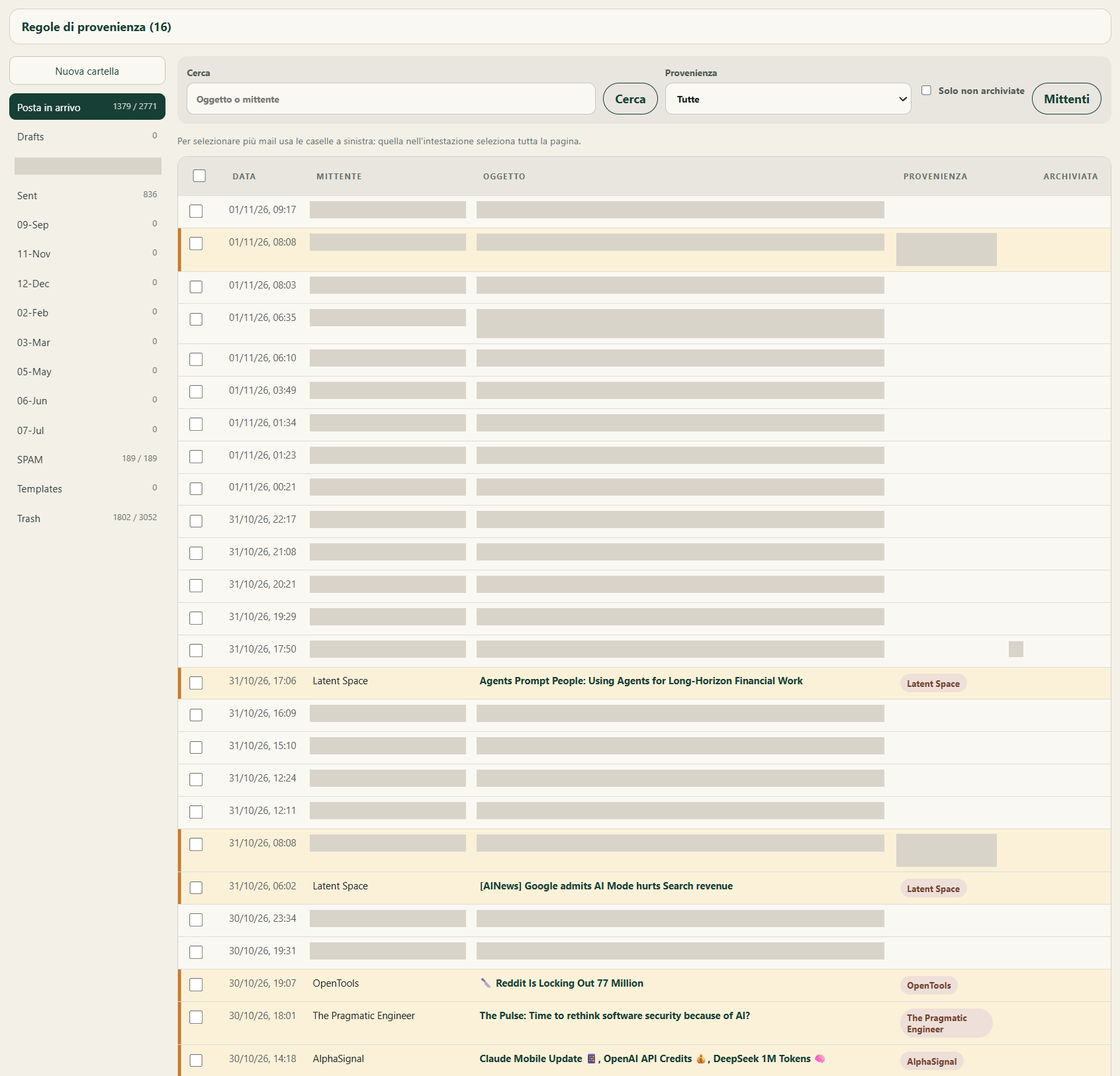
I also brought email into the program: I read and manage my messages, with rules that highlight newsletters and important mail. I had considered an Outlook add-in, but Microsoft does not support them on IMAP mailboxes.
The modules
Seven separate parts, each with a precise job.
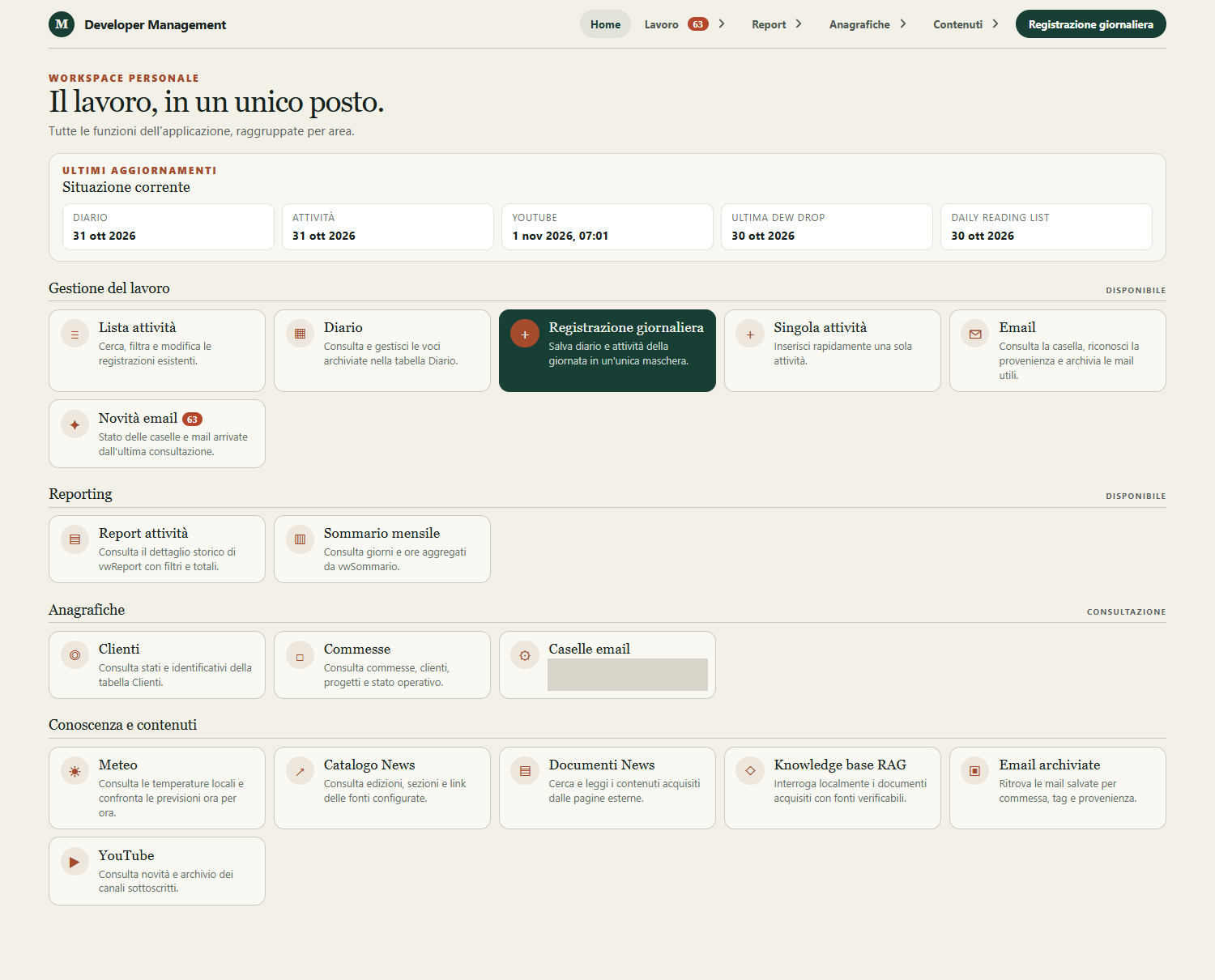
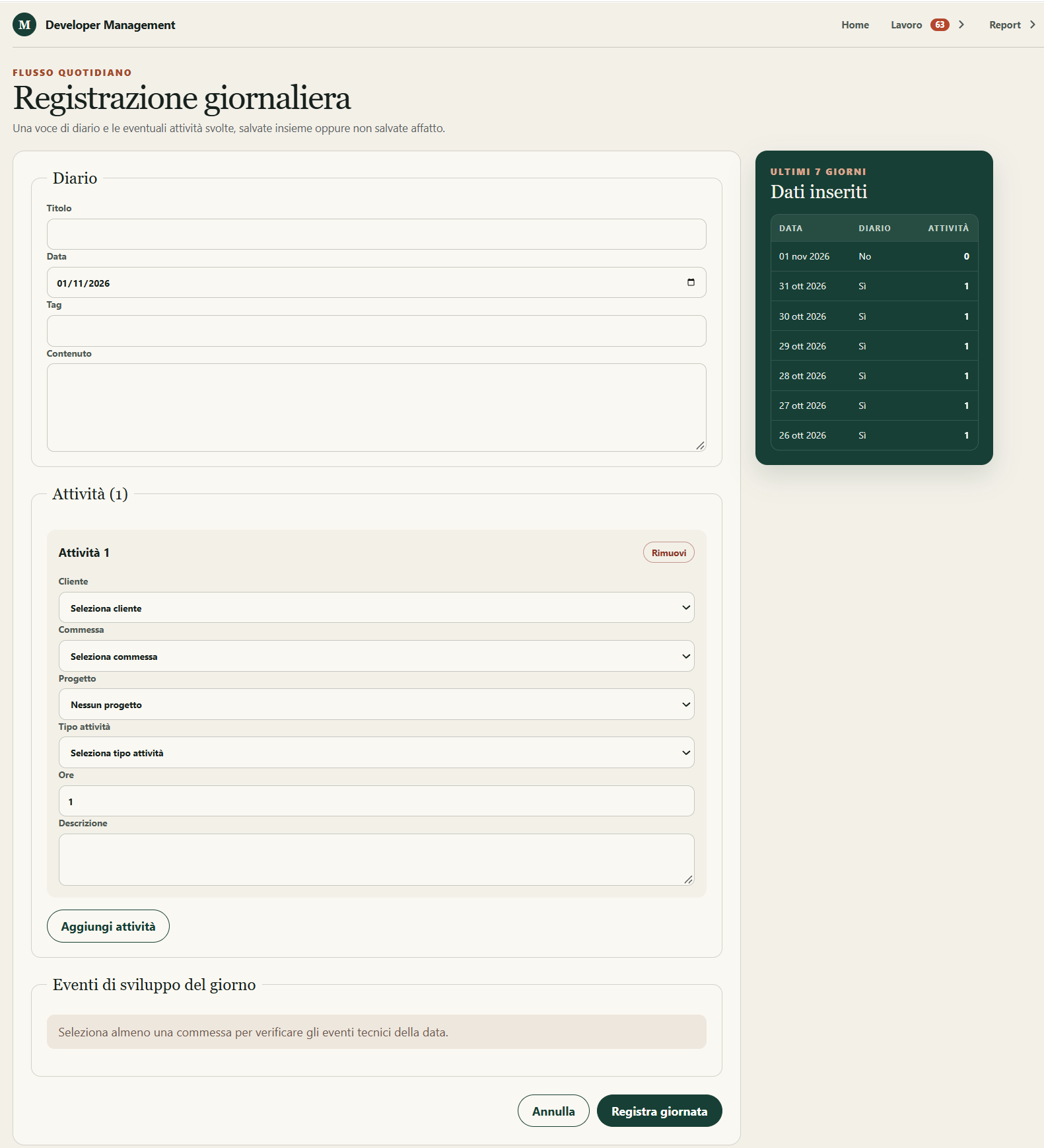
Work app (React): daily logging and data lookup.
Web API (ASP.NET Core): the service behind the app.
Workers: separate processes that read news and YouTube data.
Work order management (WolverineFx and Marten): every change is saved as an event in an event store, so the history of a work order can always be reconstructed.
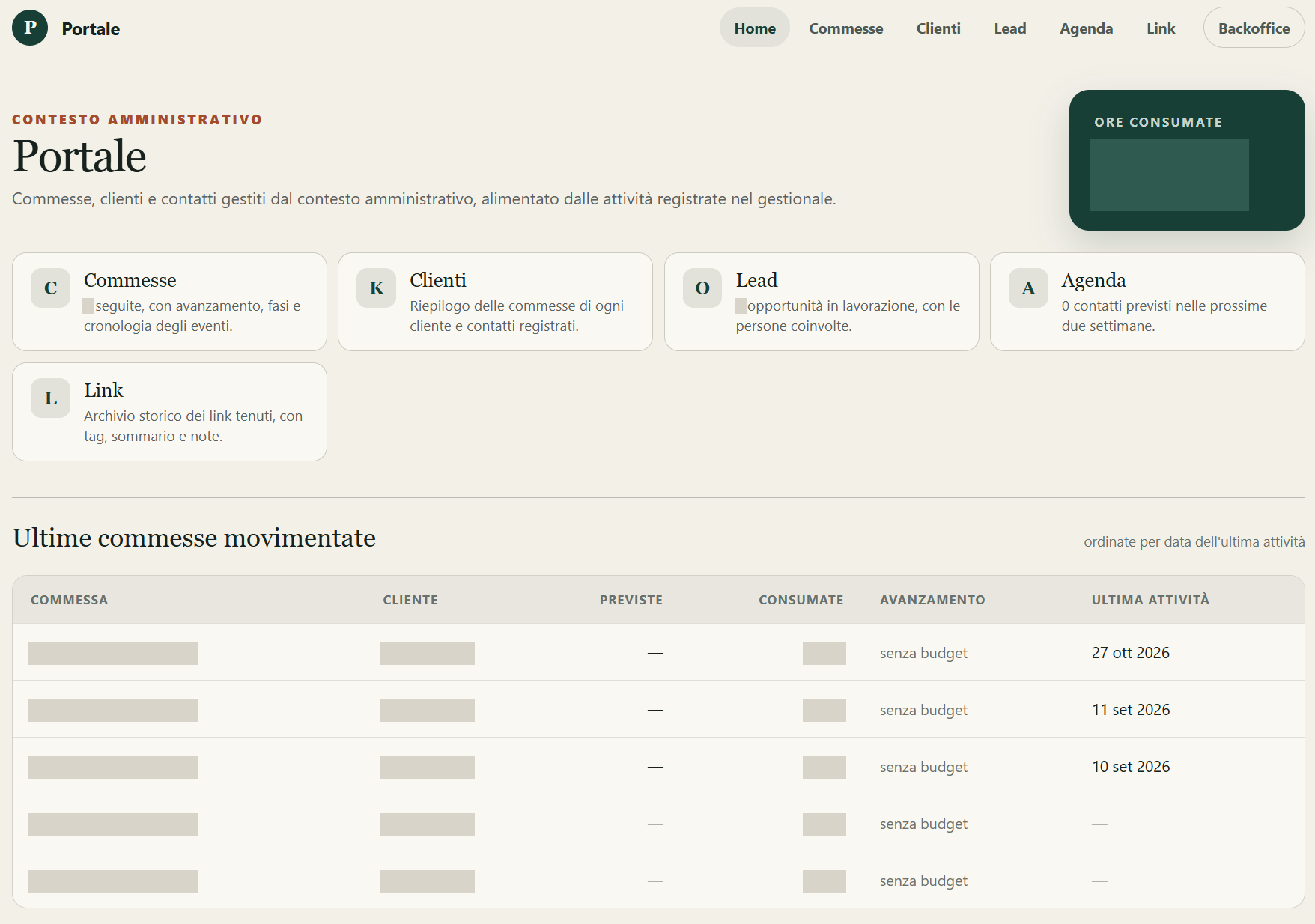
Portal (Umbraco): the more administrative side of work orders and activities.
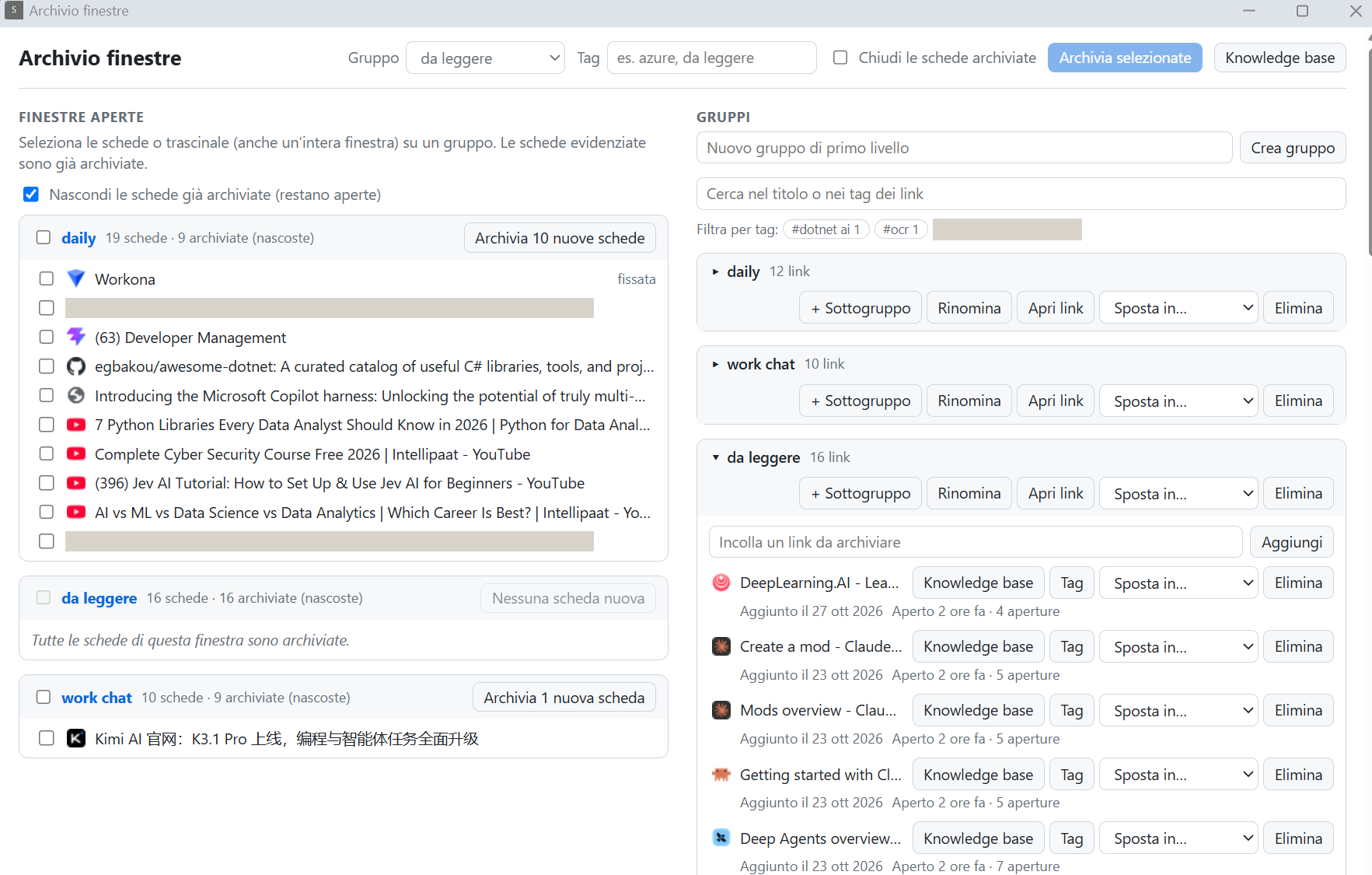
Chrome extension: managing links and lists.
MCP server: a service the agents connect to in order to record the work done on each work order, such as analysis, specifications, development and reviews. That way I keep track of everything.
Screenshots
Names, work order numbers, hours and private messages are covered in the images. The interface is in Italian. Click an image to see it in full.
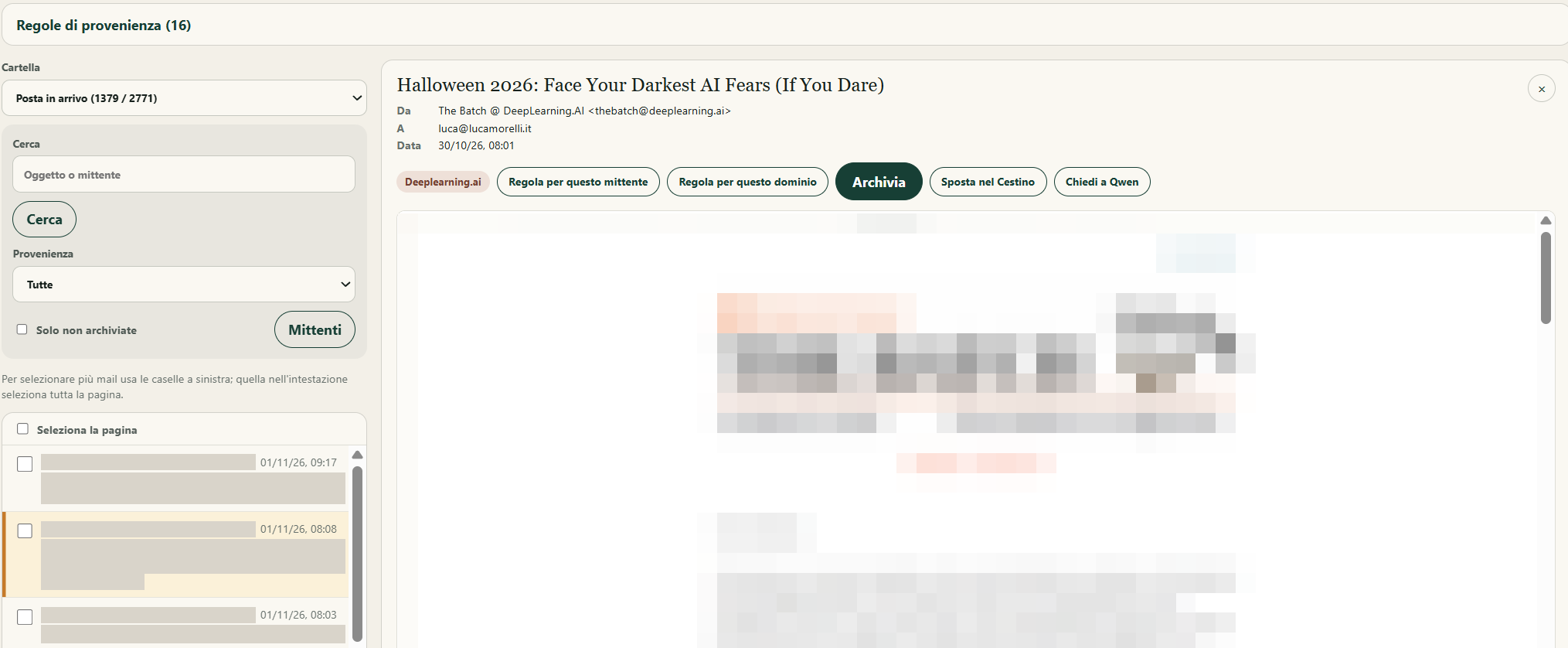
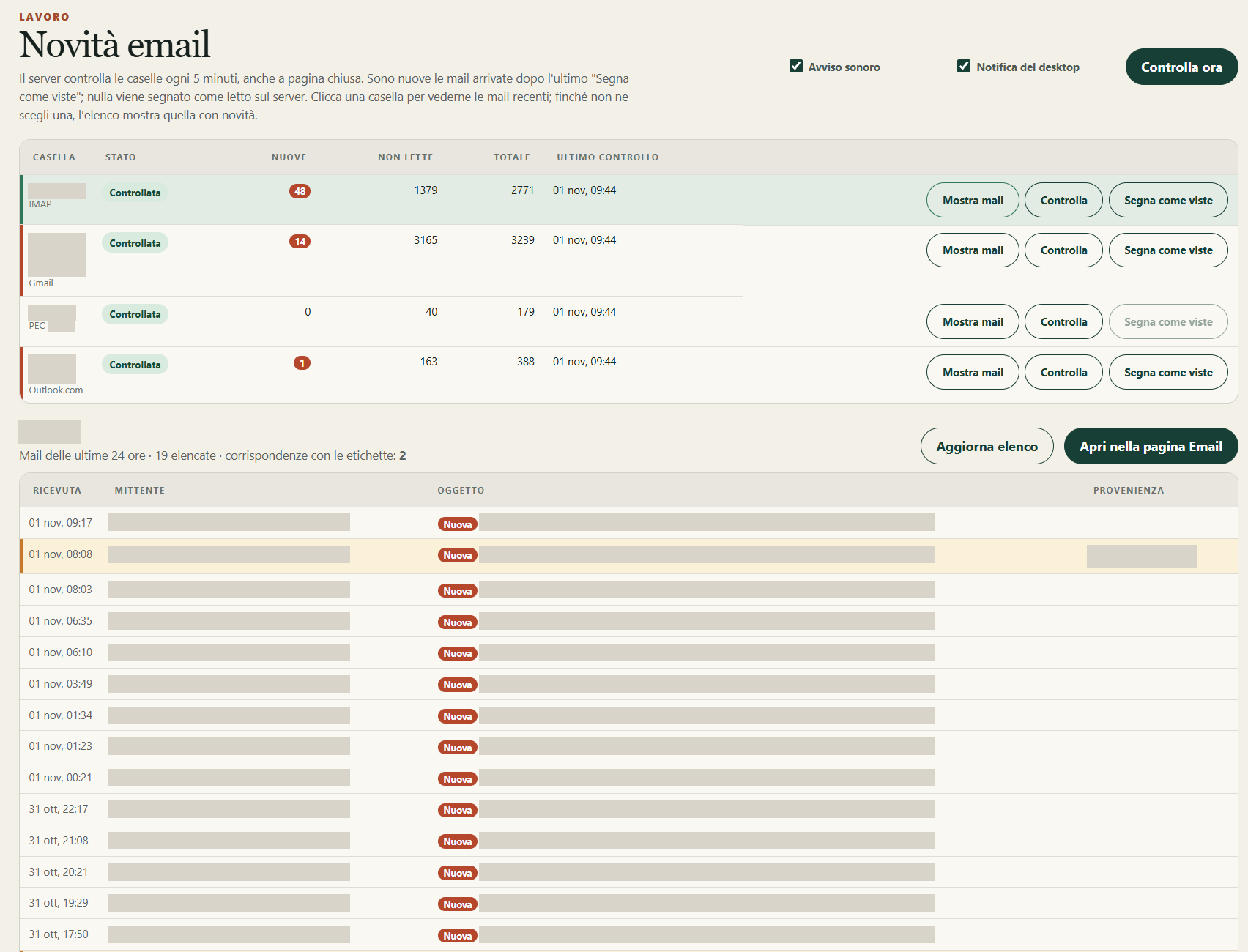
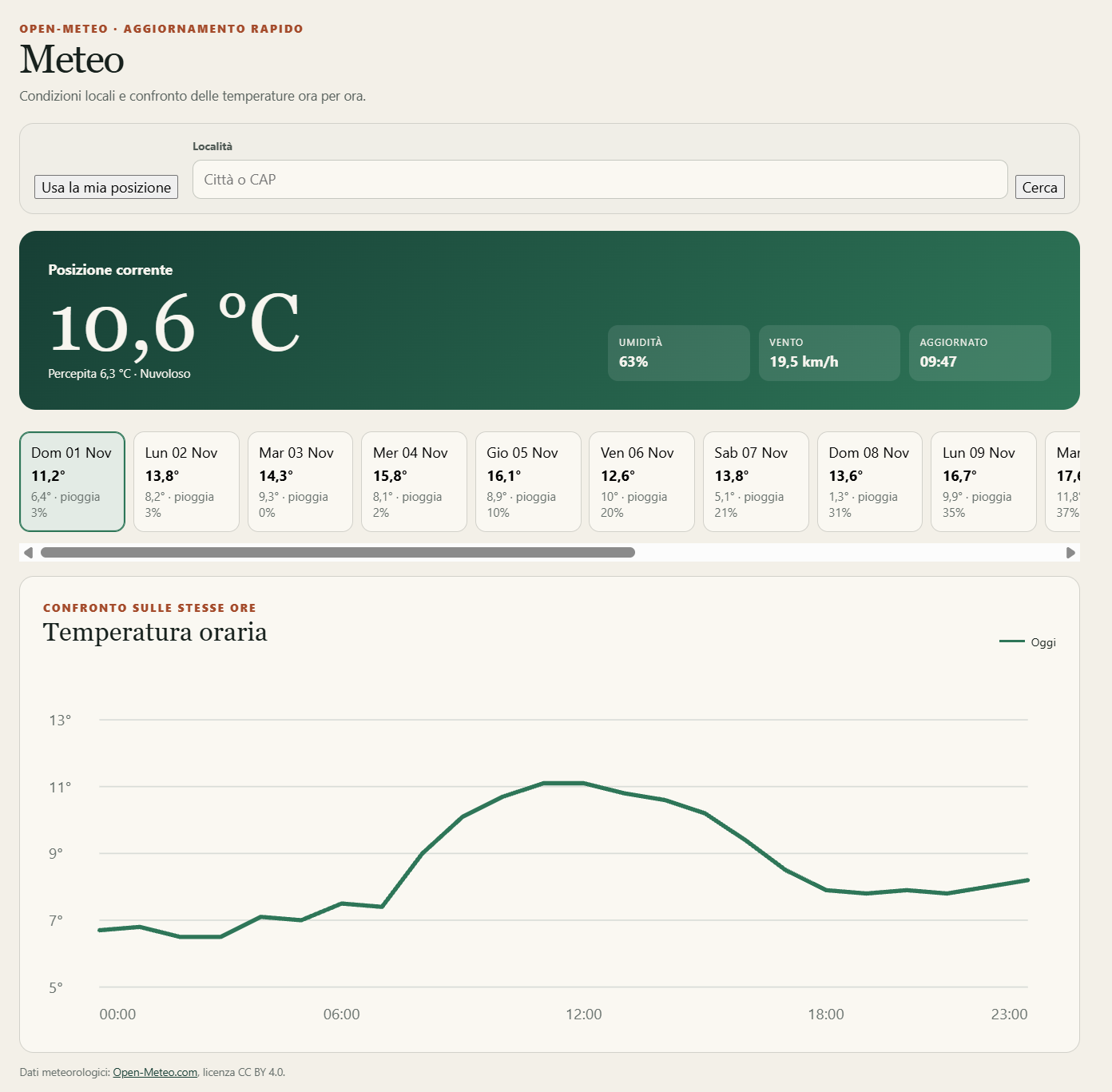
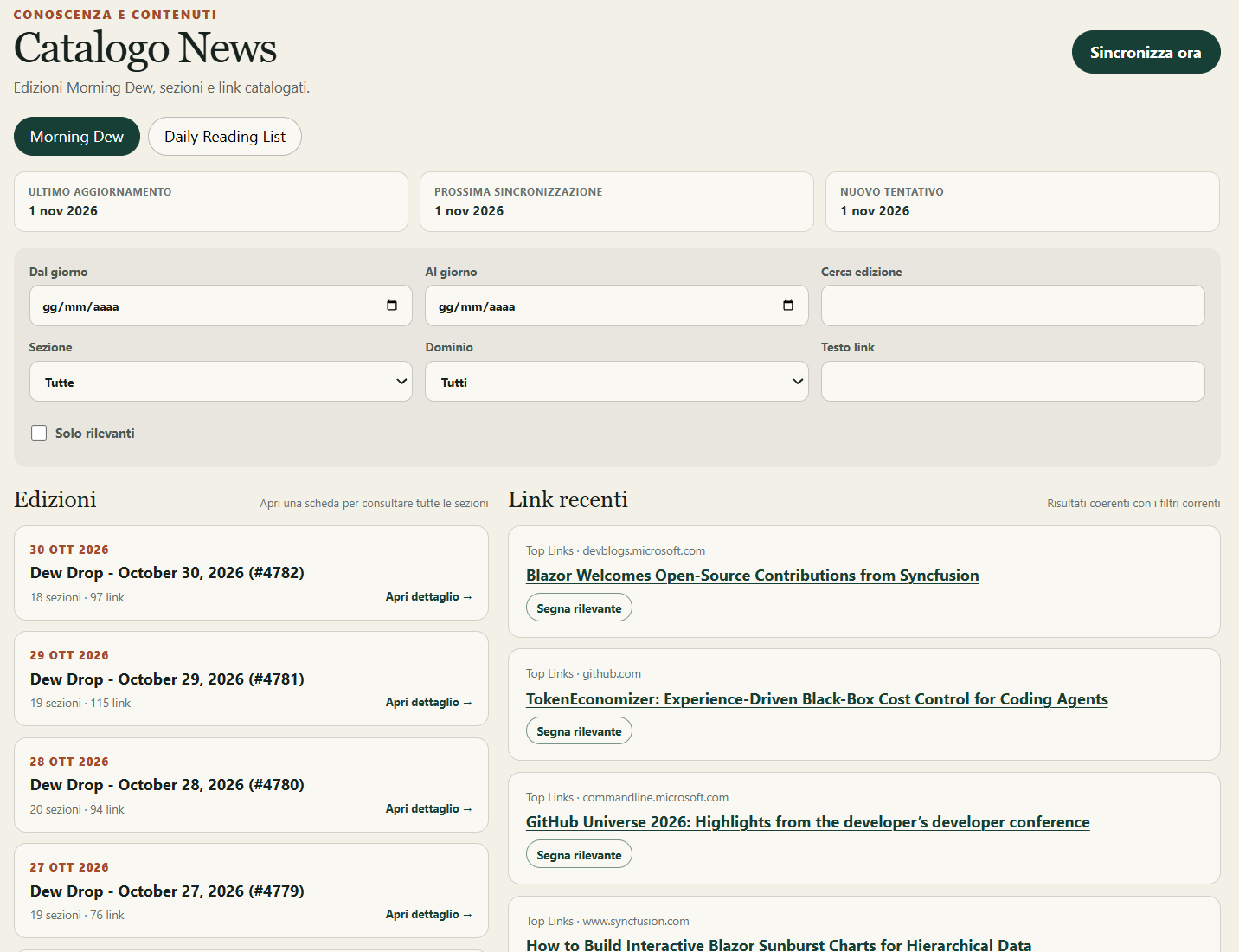
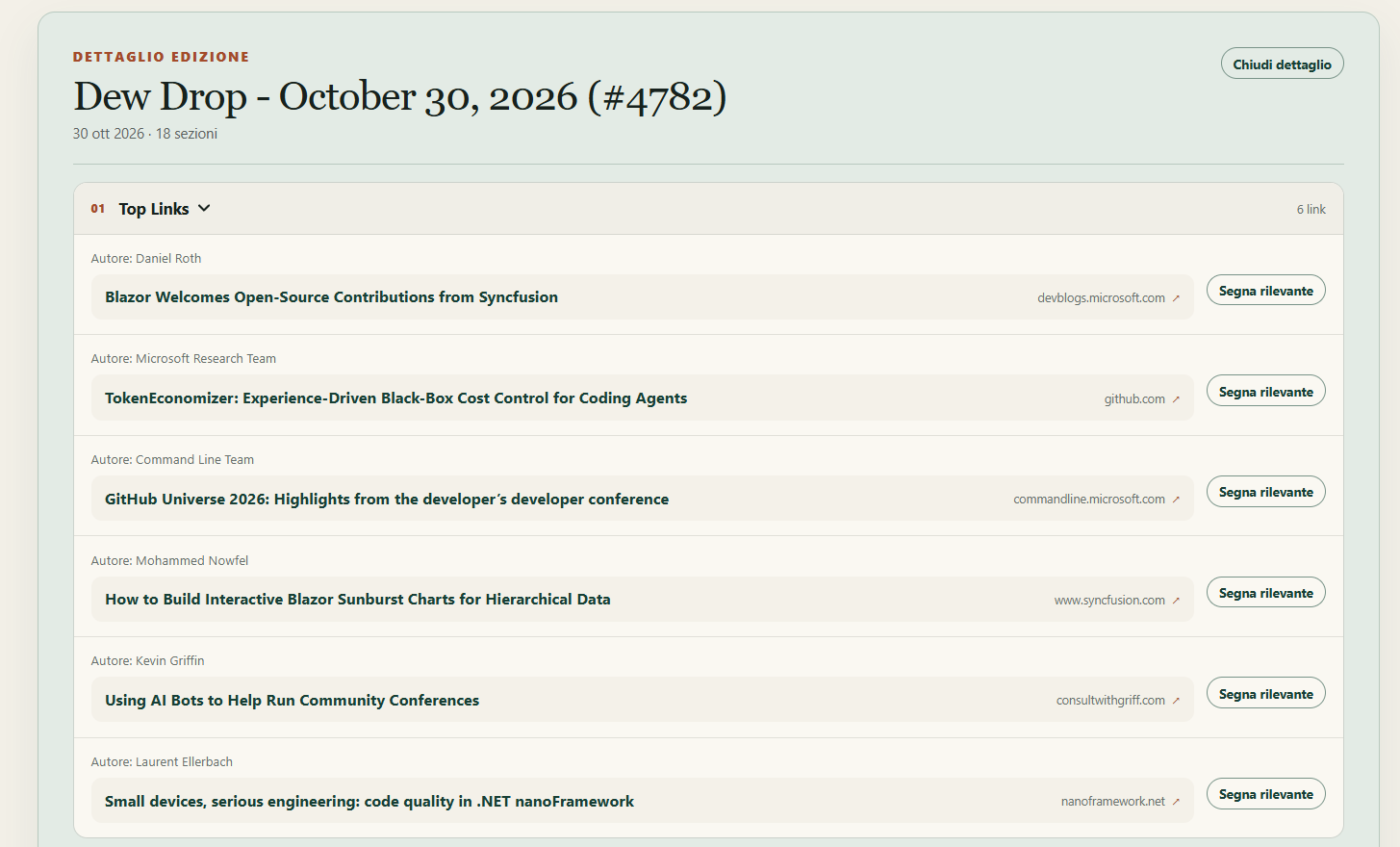
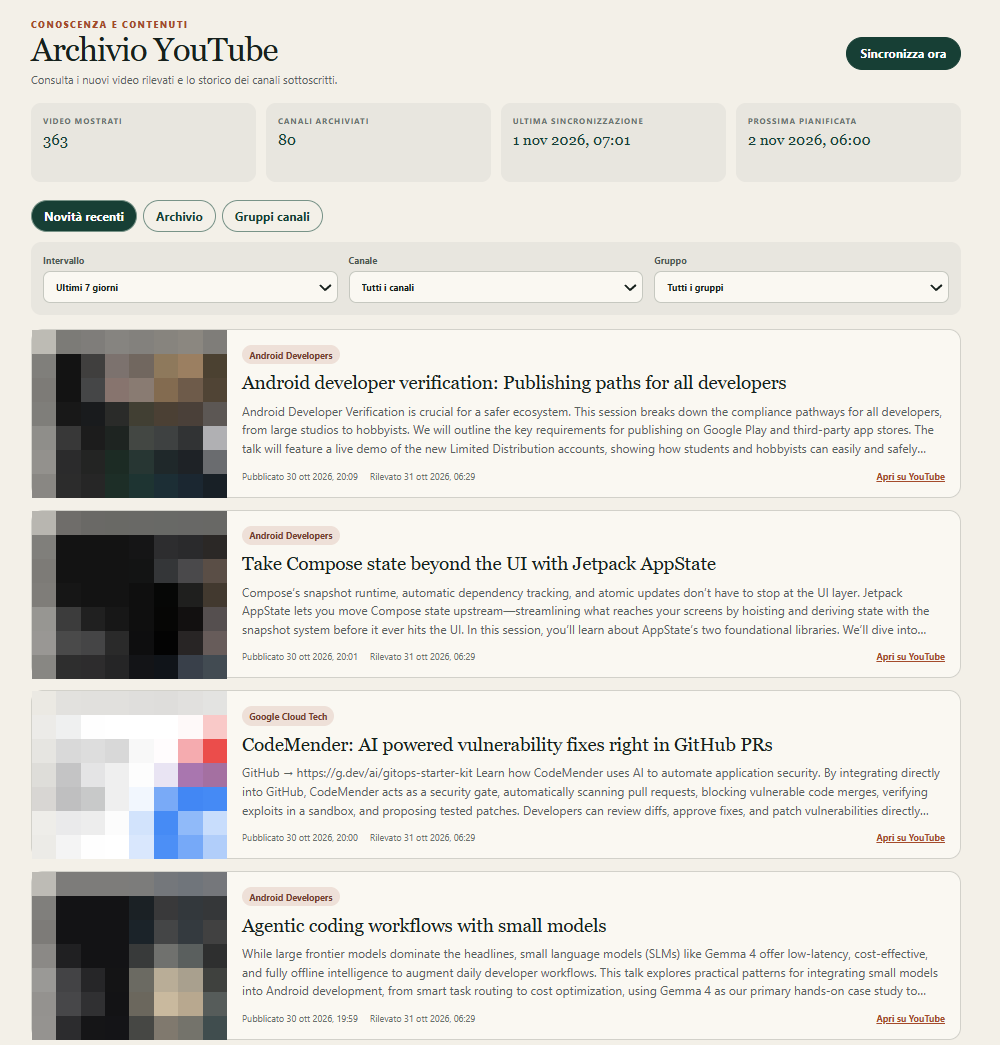
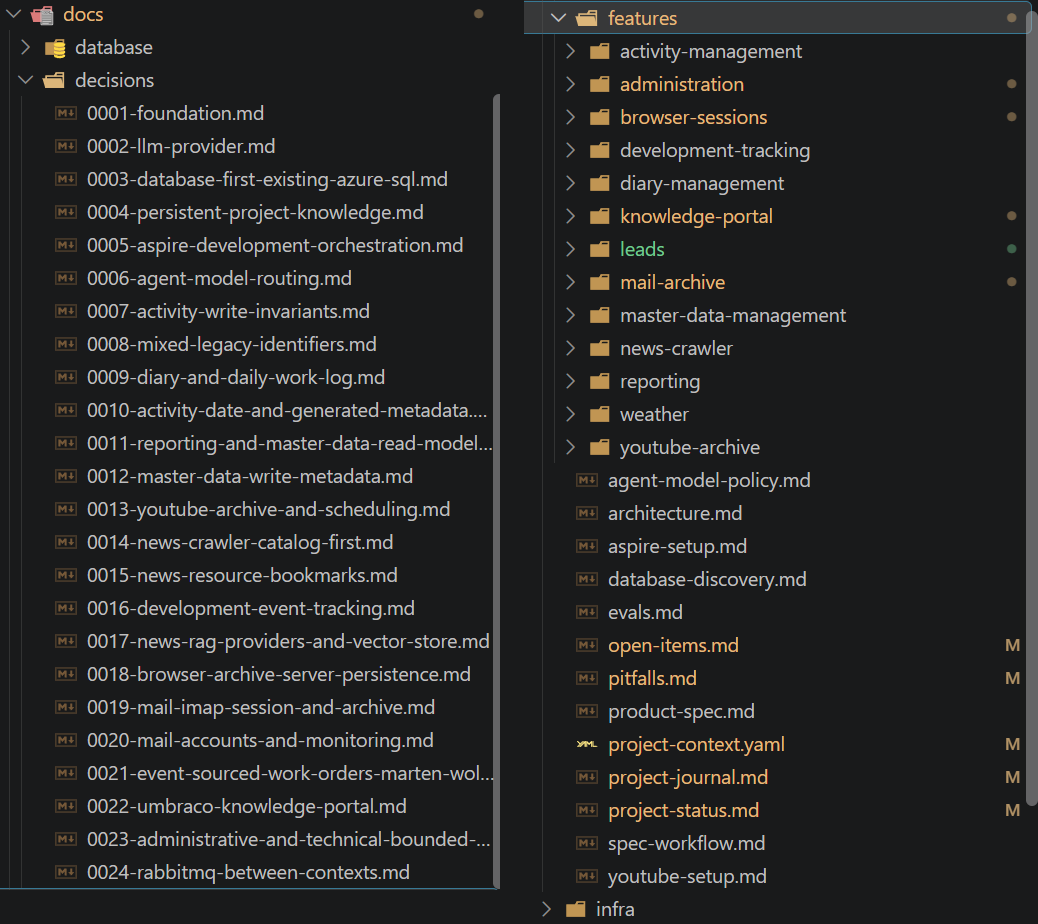
The home page of the React app: the control panel for daily activities.The main page of the Chrome extension: I control open tabs and the archive in a structured way.The home page of the administrative portal in Umbraco.Logging the day: a daily report and the details for each work order. Further down are the entries sent by the MCP server during work on the specifications.Email management: here I read and manage my mail, with rules that highlight newsletters and important messages.Reading an email: I see the content, create rules, archive it in the database and the vector store, move it to the bin and query the text with a local model through Ollama.The overall state of my mail on a single page: it supports IMAP, Outlook.com, Gmail and PEC (Italian certified email) mailboxes.A simple screen for checking the week's weather.The link pages: a regular process reads the pages I am interested in and makes them available to browse. Where they can be downloaded, the content also goes into the vector store.The detail of a daily list.The YouTube video archive, for checking what is new and getting to it quickly.The project harness: architecture decisions on the left, specifications by function and the status, journal and pitfall documents on the right.
Time and size
About two weeks
Of full-time work in total, by my own estimate: I built it in my free time, from August 2026.
Seven modules
Described above.
24 architecture decisions
Recorded with their context and reasons.
Over 600 automated tests
Server, interface, extension. Figures from the repository at 31 October 2026.
How I worked
The same cycle as on the Coding agents page. Here you can see what it leaves behind.
Every function has numbered requirements, acceptance criteria and a review. I read and correct them myself before they become code.
The reviewer is not the author
Usually Claude Code analyses and implements, Codex does the external review, and I check code and documents throughout.
The memory is in the documents, not the chat
Project status, open points, journal and decisions are files the agent reads in a set order at every session. Here the harness sits in the repository because the project is mine and I work on it alone; on client projects I keep it separate.
Tests run on temporary databases with synthetic data. The agent changes nothing on the real database without my explicit approval.
A testing ground
This is where I try out the method, the skills I develop for the agents and how to adapt them to what a program needs.
Skills are reusable procedures the agent follows for a given type of work. Some choices are certainly out of proportion to what the program has to do: I made them to try out features and ways of running a project.
How I learn from what the agent does
01
Build
With new tools and new problems, I build the feature with the coding agent.
02
Finish
I take it all the way to full functionality.
03
Analyse
I read the code it produced to understand how it did it.
04
Consolidate
I check my understanding and the implementation against external sources.
This way I do not simply hand over the implementation and act as a reviewer: I learn how it was done, I train myself, and I can then use those tools more independently.
It matters most on more complex projects, such as the RAG project. There I have to go into the detail of a function and check what it really does, because the agent's own description of it is often not clear enough. You have to get your hands dirty and pair with the agent, not just supervise it.
What it does not prove
This project shows a way of working, not a result that repeats itself elsewhere.
It is a small project, and I work alone. No colleague on the same code and no shared harness: getting a team to work on a single harness is a step I have not yet taken. Quality and coding agents.
I am my own client. I can decide in a moment what to change, and I accept limits a client would not accept.
Only I use it, locally. Security, permissions and availability for many users are a different job.
The conditions are favourable. Widely used technologies, code rewritten from scratch and a domain I know: on legacy or non-standard systems the agent delivers less. Limits and conditions.
It does not measure a saving. The two weeks are an estimate, and I have no comparison with the same work done without agents.
I describe the mistakes and the lessons I took from them in connection with a more complex project.
The way of working is the same: written specifications, tracked decisions, review separate from whoever writes the code. What changes are the surrounding rules.
On client projects I use coding agents only where the client's rules allow it, the harness stays as confidential as the code, and data analysis happens on test environments or anonymised data.
.NET 10 and React with TypeScript; EF Core on an existing Azure SQL database, without migrations (database-first); event sourcing on PostgreSQL with Marten and WolverineFx, connected to the other parts through RabbitMQ; Docker Compose and .NET Aspire for running locally; tests with Testcontainers on real databases; search with Qdrant and local models through Ollama.
Supporting sources
The way I study is a personal choice: these studies do not prove it, but they point in the same direction.
Anthropic — How AI assistance impacts the formation of coding skills (opens in a new tab): controlled study of 52 developers, mostly junior, January 2026. With the assistant the comprehension test averaged 50%, against 67% for those who worked by hand. Those who delegated the code scored lower than those who asked for explanations or followed up afterwards. Small sample, preliminary results measured right after the task, with a chat assistant rather than a coding agent; the link between way of use and result is not proven.